Text you type
Everything you type is processed on your device and is not sent anywhere by KurdPad. To improve suggestions, the keyboard stores words you use, your shortcuts and (if enabled) your clipboard history only on your device. Words typed in password and one-time-code (OTP) fields are never learned. With “Privacy Shield” turned on, clipboard history is not recorded.
Clipboard and password suggestions
Clipboard history is kept only on your device and is removed automatically after the time you choose (10 minutes to 1 week, or never); pinned items stay until you unpin them. On Android 11 and newer, saved e-mails and passwords from your password manager can appear in the suggestion strip. Those chips are drawn by Android’s autofill service; KurdPad never receives or stores their content.
Copied text and verification codes in the suggestion strip
While KurdPad is your active keyboard, it can read text you copy (in any app) so that it can offer it as a tappable suggestion in an empty text field; tapping it types the text. Text is used; a picture you have just copied can also be offered as a small preview for 5 minutes. KurdPad never browses your photo library, and the picture is not uploaded. This is held in memory only: a copied one-time verification code is offered for 2 minutes and other copied text for 5 minutes, then it is discarded (it is also discarded when the keyboard stops). It is not sent anywhere. These suggestions are not shown in password fields, while the clipboard or edit panels are open, or when “Privacy Shield” is on (in which case KurdPad does not read copied text at all).
A copied verification code (a single 4–8 digit number) is never added to clipboard history. Copied text that Android marks as sensitive (Android 13 and newer) is never added to clipboard history either. Other copied text is added to clipboard history only if you have clipboard history turned on.
KurdPad can also receive a verification code through Google’s SMS Retriever API to offer it in the suggestion strip. KurdPad does not request SMS permissions, does not read your messages, and does not store them; only a short numeric code is used, in memory, for 2 minutes.
Verification codes from notifications (optional)
This is off unless you turn it on. If you switch on “verification codes from notifications” in KurdPad’s settings and give KurdPad “notification access” in Android’s settings, KurdPad looks at each incoming message notification (SMS, chat apps, e-mail) once, only to find a 4–8 digit verification code, and offers it in the suggestion strip. Only that number is kept — in memory, for 2 minutes. The rest of the notification is not stored, and nothing is sent anywhere. You can withdraw the access at any time in Android’s settings.
Translation (optional)
Only when you press the translate button, the text you chose to translate is sent over an encrypted (HTTPS) connection to Google Translate, and the translation is shown to you. KurdPad does not store this text. Google’s privacy policy applies to that request: policies.google.com/privacy.
GIFs (GIPHY)
KurdPad has a GIF panel powered by GIPHY. Opening it shows trending GIFs. When you search, the words you type in the GIF search box are sent over an encrypted (HTTPS) connection to GIPHY (api.giphy.com) so it can return matching GIFs. Results are limited to a family-friendly (PG) rating.
GIF suggestions while you type (on by default; you can turn them off in the settings): when you pause typing, the word you have just typed is sent to GIPHY to look for matching GIFs for the suggestion strip. If the word is in Kurdish, Arabic or Persian script, KurdPad first translates it into English through the same Google Translate service the translate button uses (unless it is a common expression the phone already recognises), and the English word is what goes to GIPHY. Nothing is sent in password fields, while “Privacy Shield” is on, or when GIF suggestions, suggestions or emoji are turned off. No other text you type is ever sent.
Like any internet request, GIPHY (and Google, for the translation step) can see your IP address. KurdPad adds no account, advertising ID or device ID to these requests. GIPHY’s privacy policy applies: support.giphy.com. GIPHY sets its own minimum age for using its service (13 in the US, 16 in the EU and UK); you can turn GIFs off in the settings.
When you send a GIF, KurdPad saves its small file in the app’s temporary cache on your phone (about the last 40 are kept) and shares only that file with the app you are typing in. Clearing the app’s cache removes them.
Picture to text, maths scan and barcode scanner (optional)
These tools read a picture you take or choose. KurdPad does not ask for the camera permission: photos are taken by your phone’s own camera app, and live barcode scanning uses Google’s scanner screen (from Google Play services).
Reading happens on your phone. Text in Latin, Chinese, Japanese, Korean and Devanagari scripts, and the sums in the maths scan, are read by Google ML Kit; other scripts, including Arabic script, are read by Tesseract. The picture is not uploaded, and the temporary copy KurdPad makes while reading is deleted afterwards. The text found is put into the field you are typing in, or into the translation box — and it is sent to Google Translate only if you then press translate. The content of a scanned barcode or QR code is typed into the field; KurdPad does not open it for you.
Some Tesseract language files (about 1–4 MB each) are downloaded once, the first time they are needed, from the public Tesseract project on GitHub. This is a plain file download: no picture and no text is sent. Google Play services may also download or update the ML Kit reading models by itself; Google’s terms apply to that.
Voice typing and microphone (optional)
The microphone permission is used for voice typing, only after you tap the microphone button, and — only if you turn it on — for the optional “light with music and microphone” effect (see “Animated themes and moving light”). Speech is recognised by your phone’s speech-recognition service (for example Google). KurdPad does not record, store or upload audio itself.
Pictures (stickers and backgrounds)
Pictures you pick from your gallery are copied into the app’s private storage on your device. When you send a sticker, only that picture is shared with the app you are typing in.
 Gallery

 Sent
Ready-made messages and fancy fonts
The ready-made greetings and seller replies, and the fancy-font styles, all work on your device. Messages you save yourself are kept only on your phone, and nothing is sent anywhere until you press send in the app you are typing in.
Secret messages (encryption, optional)
If you open the secret-message panel, the text you choose is encrypted on your phone with AES-256-GCM, using a key made from a password you type (PBKDF2-SHA256, with a new random salt for every message). The encrypted result is written as a row of emoji that you can send in any chat; anyone who has the same password and KurdPad can turn it back into text. No server is involved and no internet is needed.
The password is kept in memory only and is forgotten after 10 minutes; it is never saved and never sent anywhere. KurdPad does not keep a copy of your text or of the encrypted result, and it cannot recover a lost password, so nobody — including us — can open a message without it. To decrypt, KurdPad reads the text you selected, the text you copied, or the text before the cursor, only after you press decrypt, and only to look for an encrypted message.
Bank-card number and IBAN warning
KurdPad can notice when you have just typed or pasted a bank-card number or an IBAN (including the Iranian Sheba number) and warn you before you send it, and offers to hide the middle digits, encrypt the number as a secret emoji message (see above), or ignore the warning for that number. This check happens on your phone, in memory, on the text near the cursor. Nothing is stored or sent anywhere, and the check is not done in password fields. You can turn the warning off in the settings.
Kurdish ↔ Latin conversion
The button that converts Sorani between the Arabic-based script and the Latin alphabet (and back) works completely on your device, without the internet. It converts the text you selected, or the current line before the cursor, and nothing is sent anywhere — unlike the optional translation above.
Calculator, converters and numbers in words
The built-in calculator, the unit converter and the Kurdish number-to-words tool work entirely on your phone, with no internet. For sums that mix dollars and dinar, the dollar rate is a number you type yourself and it stays on your phone; KurdPad does not fetch exchange rates from anywhere.
Typing statistics
KurdPad can show “words this week” in its settings. For that it keeps only a number per day — how many words you wrote — on your phone. The words themselves are never kept, nothing is counted in password fields or while “Privacy Shield” is on, and the numbers are never sent anywhere or included in a backup.
Themes, backgrounds, app mode and app language
Themes, the built-in pictures (Kurdistan flag, Peshmerga uniform, camouflage), the app mode (follow the phone, always light, or always dark) and the app language (Kurdish, Arabic, English) are settings stored on your device. So are the colours of letters, numbers and symbols, the key-press light and the emoji style. None of them needs an account; the built-in ones need no internet, and extra themes, backgrounds or emoji styles you choose to download are explained in “Downloaded themes, stickers, backgrounds and emoji styles”.
 Kurdistan flag
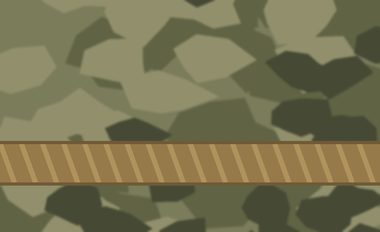 Peshmerga uniform
 Camouflage
Downloaded themes, stickers, backgrounds and emoji styles
Not everything is inside the app. Extra themes, sticker packs, background pictures and emoji styles (such as Blobmoji, OpenMoji, Twemoji, Noto and Fluent) are downloaded from KurdPad’s public GitHub repository (raw.githubusercontent.com) when you browse or choose them; an emoji style is downloaded once, as a single ZIP file, when you pick it. These are plain file downloads: no text you type and no personal data is included. Like any website, GitHub can see your IP address, and GitHub’s privacy statement applies. Downloaded files are stored on your phone and can be used offline afterwards.
Animated themes and moving light
Animated themes (for example the glow and gamer themes) and the optional “moving light with every key design” draw coloured lights under the keys. They are drawn on your phone, need no internet and no account, and collect nothing. By default the light takes its colour from the tone of the key you press.
A separate option, “light with music and microphone”, is off by default. If you turn it on, KurdPad uses the microphone — which also hears music playing from your phone’s speaker — only to measure how loud the sound is and its pitch, so the light can move with it. The sound is analysed in memory only: it is never recorded, saved, uploaded or turned into text. It listens only while the keyboard is on screen, and never in password fields or during a phone call. It uses the same microphone permission as voice typing, and you can turn it off at any time.
Key sounds, vibration and reading keys aloud
Key sounds (a choice of built-in click sounds, or your phone’s system sound), their volume and the vibration are produced on your device and need no internet. The optional “speak the keys” setting reads each key aloud using your phone’s own text-to-speech service; KurdPad itself sends nothing anywhere. Key sounds are not played when your phone is on silent or vibrate.
Backups
A backup file (settings and learned words) is created only when you ask for it and is saved where you choose. The app does not use automatic cloud backup.
Problem reports
“Report a problem” opens WhatsApp with a prepared message containing the app version, Android version and phone model. Nothing is sent until you press send in WhatsApp.
If the app crashes, a short technical note is saved on your phone: only the name of the error and the places in KurdPad’s own code it passed through — never the error message, and never anything you typed, copied or saved. The next time you open the app you are asked whether to report it; only if you agree does WhatsApp open with the note as a ready message, and nothing is sent until you press send.
App updates (Google Play)
KurdPad can check Google Play for a newer version of the app and offer to update it. This uses Google Play’s own in-app update service; no text you type is involved. Google Play’s terms and privacy policy apply to it.
Permissions
KurdPad asks only for these Android permissions:
INTERNETOnly for the optional features that go online: translation, GIF search and suggestions (GIPHY), downloading themes, stickers, backgrounds, emoji styles and text-reading language files, and checking for updates. Typing itself never needs it.RECORD_AUDIOFor voice typing (only after you tap the microphone button) and, only if you turn it on, the optional music-reactive light, which measures loudness in memory without recording.VIBRATEFor key vibration feedback.KurdPad does not ask for contacts, location, camera or SMS permissions. The optional verification-code feature uses Android’s “notification access”, a special setting that works only if you turn it on yourself in Android’s settings.
Home-screen widgets
The home-screen widgets (proverbs, special days, tasbih and the KurdPad widget) run on your device. They do not use the internet and do not collect or send any data.
Sharing, selling and children
We do not sell or share your data with anyone. The app is not directed at children under 13.
Deleting your data
Clear the app’s storage (Android Settings → Apps → KurdPad → Storage → Clear data) or uninstall the app — all data stored by KurdPad on your device is removed. Because we keep no data on any server, there is nothing else to delete.
Because KurdPad keeps no data on any server, we hold no personal data about you that we could access, export, correct or delete on your behalf. Your data is always on your own device, and you can remove it at any time as described above. This applies wherever you live, including under the EU/UK GDPR and the California CCPA.
Changes and contact
If this policy changes, the new version will be posted on this page with a new date.